Git submodules let you include one Git repository inside another as a dependency. Instead of copying code, you reference a specific commit of an external repository. It provides you with a lightweight dependency manager, similar in concept to Composer for PHP, but it is simpler and Git-native.
How Submodules Are Stored
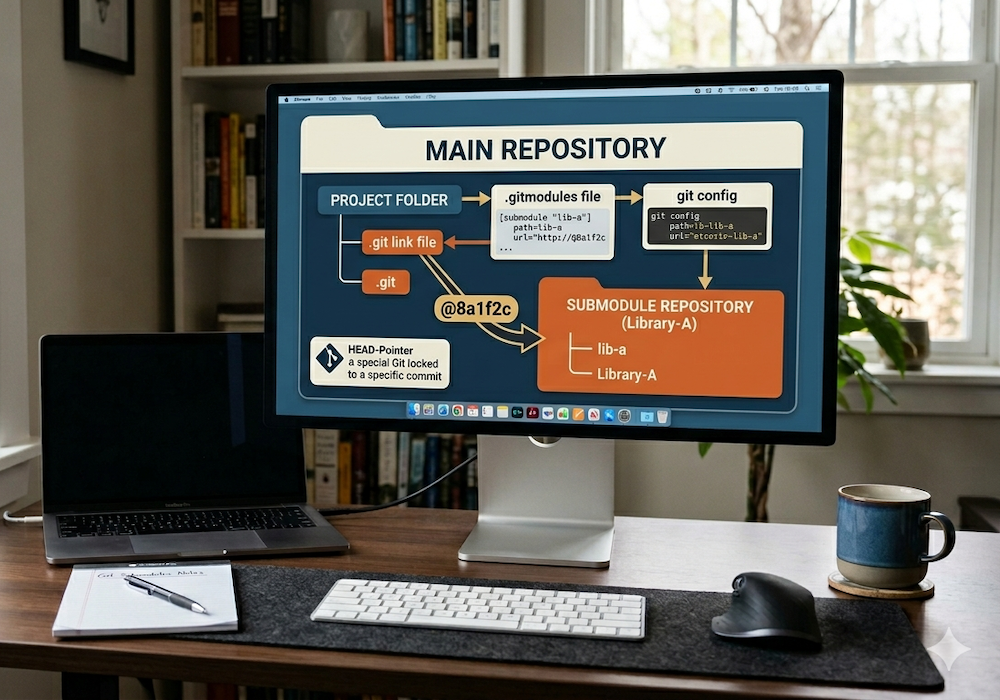
When you add a submodule, Git will:
- Create a .gitmodules file to track all submodule URLs and paths to install them in your project
- Add a reference (gitlink) in your repo that points to a specific commit of the submodule
- Treat the submodule as a separate repository, instead of a normal folder in your project
What this means is you’ll see the submodule’s code within your project’s directory structure in the location where you installed it. You can utilize that code as if it were directly part of your codebase. However, Git will not actually track any of the files from within that directory in your repository; only a reference to a specific commit is stored in your repo. It’s also important to note that submodules are not automatically updated when you pull changes—you must update them explicitly.
Adding a Submodule
git submodule add <repo-url> <local-path>
git commit -m "Add submodule"
Example:
git submodule add https://gitlab.com/example/lib.git lib
Cloning a Repo with Submodules
You can clone a git repo which has submodules in one step with the --recurse-submodules option:
git clone --recurse-submodules <repo-url>
Pull Submodules Later
If you cloned a repo without using --recurse-submodules, or if they were later added to the project, after pulling changes (if needed), run:
git pull
git submodule update --init --recursive
Update a Submodule to Its Latest Code
When a submodule is included in your project, it is pinned to the specific commit hash at the time it is added. In order to update it later, you need to fetch the latest changes from the submodule’s repo and then update your repo’s pointers to it:
git submodule update --remote --recursive
git add <submodule-path>
git commit -m "Update submodule"
This command updates each submodule to the latest commit on its configured branch, which is typically the remote’s default branch (usually main). You can override this in .gitmodules or use the approach in the next section to target a specific commit (or a commit from a specific branch).
If you have multiple submodules and only want to update a specific one, use:
git submodule update --remote --recursive <submodule-path>
Update a Submodule to a Specific Version
cd <submodule-path>
git fetch
git checkout <tag-or-commit>
cd ..
git add <submodule-path>
git commit -m "Pin submodule to specific version"
You can also check out a branch, but remember the parent repo will still record a specific commit.
Key Takeaways
- Submodules are pinned to a commit, not a branch
- Updating a submodule requires committing the new reference in the parent repo
- Always use
--recurse-submoduleswhen cloning if you want everything initialized